Almax Auto Almax Auto

10 Tips for Cost Effective Performance Upgrades

Time:2026-10-26 Author:Sienna
0%

Improving a vehicle does not always require an expensive turbocharger, racing suspension, or dramatic engine rebuild. Smart Cost Effective Performance Upgrades begin with understanding how the car behaves. A well-maintained vehicle often responds better than a neglected one wearing premium parts. Fresh fluids, correct tire pressure, clean filters, and accurate wheel alignment can change the driving experience immediately.

Carroll Smith, a respected race-car engineer and author of Tune to Win, wrote, “Any fool can make a car go fast. The trick is to make it stop.” His warning remains practical today. Brakes, tires, and driver control should guide every upgrade plan. A stronger brake pad may provide more confidence on a winding road, while quality tires can improve cornering, braking, and wet-weather stability. Sometimes, the most valuable upgrade is not a new part. It is better setup.

This guide presents ten realistic ways to improve performance without damaging reliability or overspending. It considers cooling, suspension balance, weight reduction, intake efficiency, and simple data tracking. Each recommendation should match the vehicle’s condition, intended use, and owner’s skill level. A modification that works on a track car may feel harsh or wasteful on a daily commuter. That distinction matters.

There is no perfect formula. Some popular upgrades produce little measurable benefit. Others create noise without improving speed. Testing one change at a time helps reveal what actually works. Keep receipts, record temperatures, and compare lap times or fuel use honestly. Progress can be slower than expected. That is part of the process.
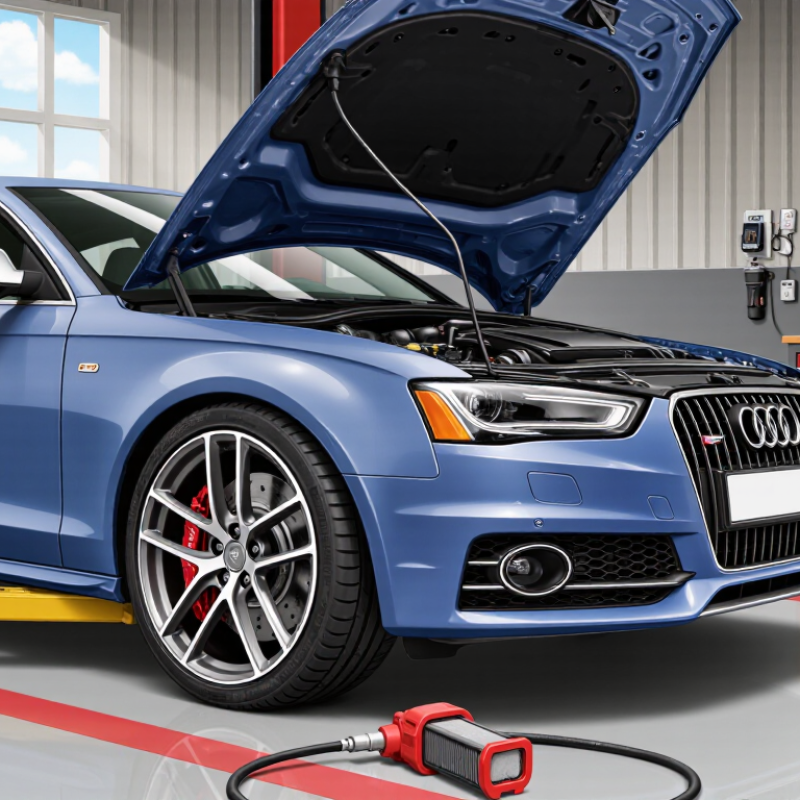
10 Tips for Cost Effective Performance Upgrades

Define Performance Goals and Establish a Baseline

Cost-effective performance upgrades begin with a clear definition of success. Decide whether you need faster loading, smoother motion, lower power use, or greater reliability. A vague goal creates expensive guesswork. Write one measurable target, such as reducing startup time from eight seconds to five. Keep the target realistic for your users and equipment.

Tips: Record a baseline before changing anything. Measure the same task three times under similar conditions. Note temperature, workload, settings, and test duration. Screenshots and simple notes help reveal small changes. Avoid relying on memory. It is surprisingly unreliable.

I once improved a system based on a single slow test. The result looked impressive, but normal use barely changed. The original baseline was flawed. A better process uses several scenarios, including light workloads and demanding tasks. Track response time, error frequency, energy consumption, and noise when relevant. Use free monitoring tools where possible, but verify their readings against repeatable observations. Change one variable at a time. That makes cause and effect easier to identify. Leave a small performance margin for future updates, dust, heat, and changing workloads. Test again after each adjustment, and record when the improvement stops justifying its cost.

Prioritize High-Impact Upgrades with the Lowest Total Cost

10 Tips for Cost Effective Performance Upgrades

Prioritize High-Impact Upgrades with the Lowest Total Cost

Cost-effective performance upgrades begin with total cost, not purchase price. That figure includes labor, downtime, energy use, maintenance, and replacement parts. In my projects, a modest bottleneck often mattered more than a dramatic hardware upgrade. Measure before changing anything. Record response time, error rates, power consumption, and peak workload for one normal week. This baseline prevents attractive guesses from becoming expensive habits.

Rank each possible upgrade by impact, risk, and full ownership cost. Improving airflow, removing unnecessary background tasks, or adjusting workload schedules may cost almost nothing. Better configuration can outperform new equipment. A targeted component replacement may still make sense when testing shows a clear limit. Calculate the expected gain against installation time and future servicing. If an upgrade saves five minutes but creates weekly maintenance, the result may be disappointing. Very disappointing.

Use a small pilot before making a broad investment. Test the change under realistic conditions, including busy periods and recovery after failure. Ask an experienced technician to review the measurements, assumptions, and safety controls. My early estimates sometimes ignored training time and short-term disruption. That mistake changed how I compare projects. Keep the original data, document every adjustment, and check performance again after thirty days. A cheap upgrade that delivers inconsistent results is not truly economical. Track the result.

10 Tips for Cost Effective Performance Upgrades - Prioritize High-Impact Upgrades with the Lowest Total Cost
# Upgrade Tip Recommended Action Typical One-Time Cost Expected Performance Effect Ongoing Cost or Risk Typical Payback Period Priority
1 Measure Before Spending Establish baseline values for response time, error rate, throughput, resource utilization, and peak-hour demand before changing the system. $0–$500 Prevents low-value work; identifies the largest bottleneck Low; requires staff time and consistent measurement Immediate Very High
2 Optimize Images and Static Files Use correctly sized images, modern compression formats, minified CSS and JavaScript, and browser caching for reusable assets. $100–$1,500 10–40% lower page weight; faster first load on limited networks Low; requires cache invalidation and asset-quality checks 1–3 months Very High
3 Add Application Caching Cache frequently requested, read-heavy results while applying clear expiration rules and invalidation for changing data. $500–$3,000 20–70% fewer repeated database or computation requests Medium; stale-data defects are possible without proper invalidation 1–6 months Very High
4 Improve Database Indexing Review slow-query logs, add indexes for frequent filters and joins, and remove redundant or unused indexes. $300–$2,500 30–90% lower latency for targeted queries Low to medium; indexes consume storage and can slow writes 1–4 months Very High
5 Reduce Unnecessary Network Requests Combine suitable requests, remove unused scripts, defer noncritical resources, and load content only when needed. $300–$2,000 100–500 ms lower page-load overhead in request-heavy interfaces Low; needs regression testing across devices and browsers 1–4 months High
6 Tune Connection and Thread Pools Match pool sizes to measured concurrency, database capacity, CPU cores, and downstream service limits instead of using arbitrary defaults. $500–$3,500 10–40% higher throughput when saturation is the bottleneck Medium; oversized pools can increase contention and resource usage 2–8 months High
7 Upgrade Hardware Selectively Increase memory, storage performance, or compute capacity only after monitoring proves that a specific resource is constrained. $500–$8,000 20–100% more capacity for the constrained resource Higher energy, hosting, maintenance, or replacement expense 6–18 months Medium
8 Automate Performance Testing Run repeatable load, stress, and regression tests in the delivery process using production-like data volumes and traffic patterns. $1,000–$6,000 Detects regressions before release; reduces troubleshooting time by 20–50% Medium; test environments and scripts require maintenance 3–12 months High
9 Improve Observability Track latency percentiles, throughput, errors, saturation, and resource utilization with actionable alerts rather than relying on averages alone. $500–$5,000 Shorter incident diagnosis; exposes hidden bottlenecks and capacity risks Additional storage, monitoring, and alert-management effort 3–12 months High
10 Remove Low-Value Features and Jobs Retire unused reports, background tasks, integrations, and data processing that consume resources without measurable business value. $300–$4,000 5–25% lower background load and reduced operational complexity Low; requires stakeholder approval and dependency review 1–6 months High
Cost ranges are planning estimates in USD for a small-to-mid-sized digital system. Actual results depend on workload, baseline architecture, labor rates, traffic patterns, and the size of the performance bottleneck.

Optimize Existing Hardware, Software, and System Settings

10 Tips for Cost Effective Performance Upgrades

Optimize Existing Hardware, Software, and System Settings

Start with a baseline. Record boot time, application response, memory use, and fan noise before changing anything. This prevents guesswork.

Remove unused applications and background services that consume memory during normal work. Clear temporary files, but keep recovery data. Update operating systems, drivers, and essential tools after checking compatibility. Outdated software can create hidden slowdowns. Keep it measurable.

Adjust startup settings carefully. Disable programs you rarely need at login. Increase available storage by moving large archives to an appropriate secondary location. Low free space can reduce system responsiveness. Check cooling vents and clean visible dust safely. Heat often causes throttling before users notice it.

Tune power settings for the actual workload. A balanced profile may suit office tasks, while demanding work needs sustained performance. Close browser tabs, extensions, and local processes that provide no current value. I once blamed weak hardware for slow reports, then found an oversized spreadsheet running in the background.

Use built-in monitoring tools to identify memory leaks, storage pressure, or unusual processor activity. Test one change at a time, and keep a simple record of results. Reversibility matters. Some settings improve benchmarks but make daily work less stable. That trade-off deserves attention.

Schedule maintenance during quiet hours, including updates, backups, and storage cleanup. Protect important files before modifying system settings. Review the results after several days, not just after one successful restart. My own tests sometimes improved speed while increasing interruptions, which meant the upgrade was not truly cost effective.

Compare Upgrade Options by Value, Compatibility, and Lifespan

10 Tips for Cost Effective Performance Upgrades

Compare Upgrade Options by Value, Compatibility, and Lifespan

A cheaper upgrade is not always the better investment. Compare its real performance gain against the total ownership cost. Include installation, power use, cooling, maintenance, and possible replacement parts. A small improvement may deliver better value than an expensive component that solves the wrong problem.

Check compatibility before buying. Review socket types, physical clearance, power limits, firmware support, and available connections. Measure the case interior with a ruler. Confirm the power supply can handle peak demand, not only average usage. A component may fit technically but still create heat, noise, or stability problems. Those details matter.

Estimate lifespan through build quality, operating temperature, repairability, and warranty coverage. Look for independent test data from reliable technical sources. Compare performance per dollar, not impressive maximum figures. Benchmark your current system first, then test the upgrade under real workloads. Office tasks, rendering, and gaming can produce very different results. I once overvalued a higher specification and ignored a serious cooling limit. That mistake made the upgrade feel disappointing.

Leave room for future needs, but avoid paying for unused capacity. A balanced upgrade often beats a dramatic one. Keep the old component temporarily, if possible. This makes troubleshooting easier when performance changes unexpectedly. Document temperatures, power readings, and application response before and after installation. Clear records support better decisions and reveal whether the promised improvement actually exists.

Measure Results and Refine the Upgrade Plan Gradually

Performance upgrades become cost effective when results are measured, not assumed. Before changing anything, record response time, error rate, throughput, and monthly resource use. Use the same workload and test window each time. A five-minute baseline can prevent weeks of guesswork. In practice, I also capture slow requests and queue depth. Numbers reveal where users actually wait.

Make one controlled change per cycle, then observe it for several days. Compare median and 95th-percentile latency, not only the average. Track labor hours, infrastructure cost, and support tickets beside technical metrics. A cheaper server may increase maintenance time. That trade-off belongs in the calculation. Keep a rollback step ready. Small experiments reduce financial risk and protect service stability.

Not every improvement survives real traffic. I once approved a caching adjustment after a clean test, but production data changed too frequently. The cache saved little and complicated troubleshooting. That result was disappointing, yet useful. Refine the plan using evidence, and document what failed. If gains remain below the target, pause before adding another tool. Ask whether the bottleneck moved elsewhere. Review results with operations and development staff, because dashboards can miss a manual burden. Repeat the cycle until the measured benefit justifies the cost.

10 Tips for Cost-Effective Performance Upgrades

Measure Results and Refine the Upgrade Plan Gradually

A staged upgrade plan helps compare spending with measurable gains. The reference figures below use typical non-brand-specific automotive service ranges and show why low-cost maintenance and setup improvements should be tested before larger hardware changes.

Start with the lowest-cost changes, record the results, and continue only when the measured improvement justifies the next investment. Actual results vary with vehicle condition, configuration, driving style, and installation quality.

FAQS

How should I define a performance upgrade goal?

Choose one measurable target, such as reducing startup time from eight seconds to five. Keep it realistic. Vague goals create costly guesswork.

What should I record before making changes?

Record response time, error frequency, energy use, workload, temperature, and settings. Test the same task three times. Memory is unreliable.

Why is one slow test not enough?

One result may reflect unusual heat, workload, or background activity. Test light and demanding scenarios. My earlier baseline looked impressive but misrepresented normal use.

How can I compare upgrade options fairly?

Rank each option by impact, risk, and total ownership cost. Include labor, downtime, energy, maintenance, and replacement parts. Purchase price is only one detail.

Can configuration changes outperform new equipment?

Sometimes. Improve airflow, remove unnecessary background tasks, or adjust workload schedules. These changes may cost little. Results can still vary.

Why should I test a small pilot first?

A pilot exposes problems before wider investment. Test busy periods, recovery after failure, and realistic workloads. Keep a rollback step ready.

Which measurements reveal real user problems?

Track median and 95th-percentile latency, slow requests, queue depth, errors, throughput, and support tickets. Averages can hide painful delays.

How many variables should I change during one test cycle?

Change one variable at a time. Observe the result for several days. This makes cause and effect easier to identify, though real systems remain messy.

When should I stop adding upgrades?

Stop when gains remain below the target or costs exceed the benefit. Check whether the bottleneck moved elsewhere. More tools are not always progress.

How do I know an upgrade remains cost effective?

Compare technical gains with labor, maintenance, service disruption, and energy costs. Review results again after thirty days. A cheap upgrade with unstable results is not truly economical.

Conclusion

Cost Effective Performance Upgrades begin with clear performance goals and a reliable baseline. Before changing any equipment or settings, identify the problems that need to be solved and record current results such as speed, efficiency, stability, or responsiveness. This makes it easier to determine which improvements are genuinely valuable. Focus first on high-impact changes with a low total cost, including adjustments to existing hardware, software, workflows, and system settings. Often, careful optimization can deliver meaningful gains without requiring a complete replacement.

When comparing upgrade options, consider more than the initial purchase price. Evaluate expected performance improvements, compatibility with current systems, maintenance needs, energy use, scalability, and useful lifespan. After each change, measure the results against the original baseline and check whether the investment produced the expected benefit. A gradual, evidence-based approach reduces unnecessary spending, limits disruption, and helps refine the upgrade plan over time. By prioritizing value and making decisions based on measurable outcomes, organizations can improve performance efficiently while maintaining long-term control of costs.

Sienna

Sienna

Sienna is a skilled marketing professional with a deep expertise in our company’s core products and services. With a passion for innovation and detail, she plays a pivotal role in crafting insightful blog posts that not only highlight the unique features of our offerings but also provide valuable......